
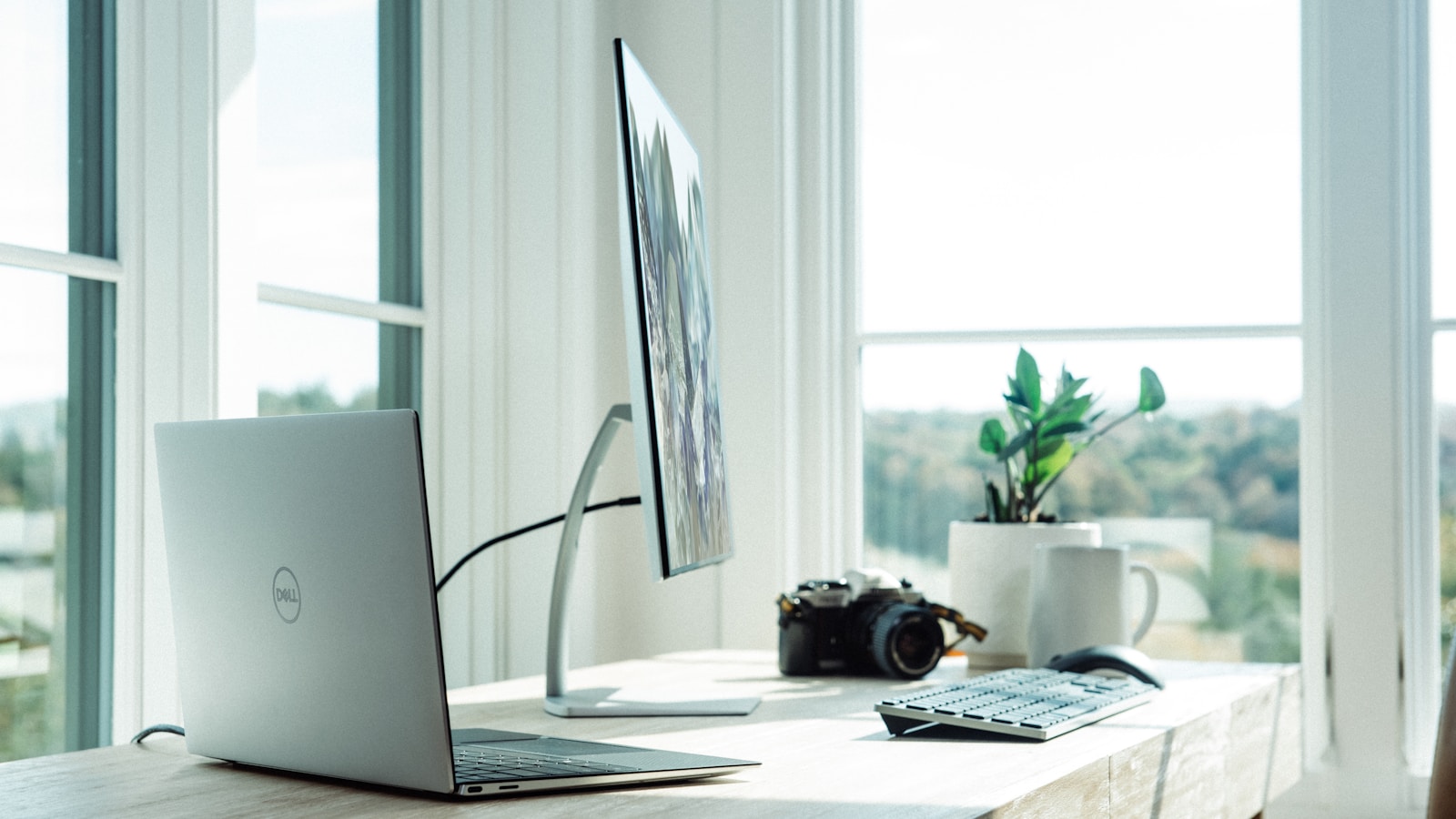
The way to improve your posture working from home is not the way the internet told you. It is not buying a posture-correcting device, it is not "remembering to sit up straight," and it is definitely not the €200 ergonomic chair you bought in 2020 that is now in the spare bedroom. Real posture improvement is about three boring things: where the screen is, what your body is asked to do during the day, and how often you stop doing it.
The single biggest fix: get the screen up to eye level
If you do nothing else from this article, do this. The top of your monitor should be at eye level when you sit straight. Looking down at a laptop for eight hours a day is the single largest cause of the home-office hunch — the slow forward roll of the shoulders, the chronically stiff neck, the headache that arrives at 4 pm without fail.
The fixes:
- External monitor on a stand or arm. The cleanest solution. €100–€200 once, and your neck thanks you for the next decade.
- Laptop stand + external keyboard. If you must work on a laptop, raise it on a stand and use a separate keyboard. Typing on a laptop at eye level wrecks your wrists; typing on a laptop in your lap wrecks your neck. Decouple them.
- Books as a stopgap. Genuinely. A stack of three or four hardcover books under the laptop works while you wait for the proper kit to arrive. Style points are not the goal.
The chair situation
You do not need a Herman Miller. You do need a chair where:
- Your feet are flat on the floor (or on a footrest) when seated.
- Your knees are at roughly 90 degrees, slightly below your hips.
- The seat depth lets you sit back fully without your knees pressing against the front edge.
- The lumbar support fills the natural curve of your lower back.
If your current chair fails any of those tests, fix the failures rather than buying a new throne. A €15 lumbar cushion and a €25 footrest convert most "okay" office chairs into perfectly serviceable ones.
The desk height test
With your hands on the keyboard, your forearms should be roughly parallel to the floor and your elbows at about 90–110 degrees. Wrists straight, not flexed up or down. If your desk is too high (most kitchen tables are), you raise your shoulders unconsciously all day, which is what produces "shoulders up at the ears" tension. If your desk is too low, you slump forward to reach the keyboard.
Adjust the chair height first, footrest second, then look at the desk. Standing desks are nice but not necessary; the right chair-and-desk combination matters more than the ability to alternate.
The 30-30-30 rule (the only timer worth setting)
Every 30 minutes, stand up for 30 seconds and look at something 30 feet away. Three short interruptions an hour are more useful than one heroic stretch break in the afternoon. Phone-based timers work; the Pomodoro technique works; even a small recurring calendar event works. The point is to break the freeze pattern that develops when you focus deeply.
If 30 minutes feels too disruptive to flow, try 50 minutes on, 10 minutes up. The "stand and walk to the kitchen, fill a glass of water, come back" loop genuinely resets your spine more than any single stretch.
Five movements that actually help (and take 4 minutes)
Bookmark these and run through them at lunch. Do them every workday for two weeks and the difference is real.
1. Doorway pec stretch — 30 seconds each side
Stand in a doorway, place your forearm against the frame at 90 degrees, and step forward gently until you feel a stretch across the chest. The home-office hunch comes from short, tight pecs pulling shoulders forward. This is the antidote.
2. Cat-cow — 60 seconds
On hands and knees. Inhale, drop the belly, look up. Exhale, round the spine, tuck the chin. Slow, controlled. The single best mobility move for a desk-stiffened spine.
3. Standing wall angels — 60 seconds
Back against the wall, heels a few inches out. Press the lower back into the wall. Bring arms up to a "Y" with the back of the hands trying to touch the wall. Slide them down to a "W." Repeat slowly. Hits the upper-back muscles that hold posture during typing.
4. Glute bridges — 30 seconds
Lie on your back, knees bent, feet flat. Lift the hips and squeeze the glutes for two seconds at the top. Sitting all day shuts down the glutes; weak glutes mean the lower back compensates. Cheap fix, big payoff.
5. Chin tucks — 30 seconds
Sit tall, draw the chin straight back (giving yourself a temporary double chin) without tilting up or down. Hold for 5 seconds, release. Counters the "neck forward" pattern. Looks ridiculous, works extremely well.
The lighting and screen tweaks
- Lighting in front of you, not behind. A window behind your screen creates squinting, which creates head-forward posture by the end of the day.
- Screen brightness should match the room. A bright screen in a dim room is a face-forward tractor beam. Dim the screen, brighten the room.
- Font size up. Most people work with text that is too small for their actual eyesight, and lean in unconsciously. Increase your default font size by 20%. The lean disappears within a week.
What does not work (in spite of the marketing)
- Posture-correcting harnesses. They feel useful for an hour, then your back muscles atrophy because the harness is doing the work. Use them sparingly, if at all.
- "Posture vibration" wearables. They buzz when you slump. You learn to ignore the buzz within a week.
- Just "remembering" to sit up straight. Willpower is not the issue. Your environment is.
- Hour-long stretching routines. Adherence is zero by week two. Five minutes consistently beats an hour occasionally.
When posture pain is actually something else
If you have:
- Persistent pain that wakes you at night.
- Numbness or tingling in arms or hands.
- Shooting pain down the leg.
- Pain that does not respond to two weeks of better setup and movement.
...stop reading internet articles and see a physiotherapist. Posture and ergonomics fix the slow-burn discomfort of office life. They do not fix nerve impingement, herniated discs, or the genuine medical issues that can disguise themselves as "tight back."
The realistic timeline
Two weeks of better setup plus the four-minute daily routine: noticeably less stiffness at end of day. Six weeks: most low-grade back and shoulder issues are gone. Three months: your default posture has shifted, and the cycle of "tense up at the desk, foam-roll out at night" is mostly broken. None of this is fast. All of it is permanent.
Bottom line
Improving your posture working from home is environment-first, movement-second, willpower-not-at-all. Get the screen up. Get the chair right. Stand up every 30 minutes. Run four minutes of stretches at lunch. Skip the gadgets. After eight years of the work-from-home era, the people whose backs feel fine are the ones who set up their space properly once and trust the daily small movements to do the rest.