
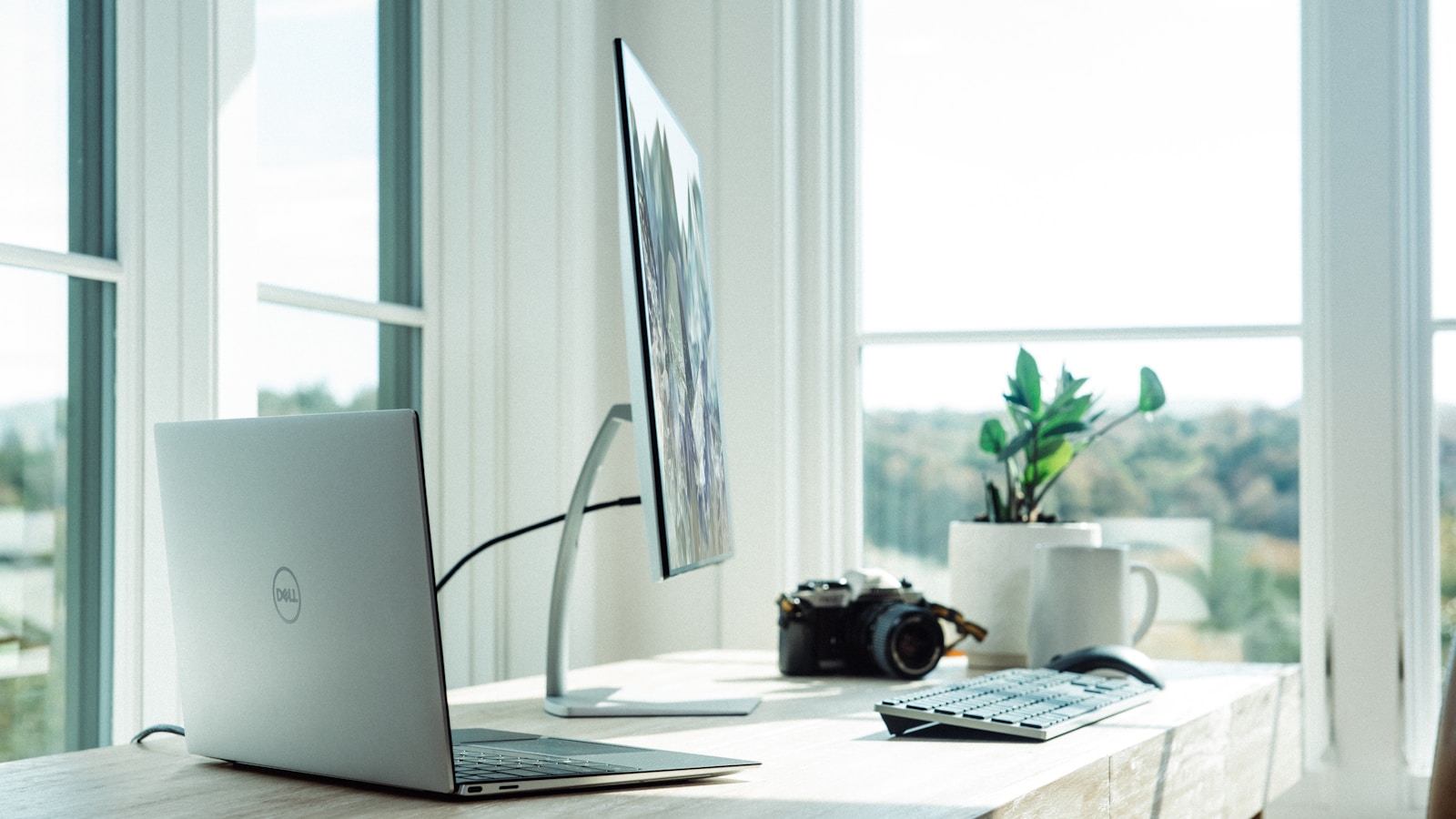
A great remote work setup in 2026 is not a fancy chair and a ring light. It is a small set of decisions about ergonomics, internet, audio, video, lighting and rituals that compound into more focus and less burnout. This guide walks through the full stack with concrete picks and what to skip.
Start with the chair, not the monitor
You will spend 1,800 hours a year in this chair. Cheap chairs cost more in chiropractor bills. Look for adjustable seat depth, lumbar support, armrest height and tilt. Solid options across budgets:
- Under €250: IKEA Markus, Sihoo M57.
- €350 to €600: Autonomous ErgoChair Pro, Branch Verve.
- €800+: Herman Miller Aeron, Steelcase Leap V2 (refurbished is half the price).
If you cannot afford an ergonomic chair yet, get a lumbar cushion (€20) for the chair you already have. The biggest gains are at the bottom and middle of the budget.
Get the screen at the right height
The top of the monitor should sit at eye level so your neck stays neutral. Stack books or buy a monitor arm (€40 to €120). A monitor arm also frees desk space and lets you switch between sit and stand.
Resolution and size matter less than people think. A single 27" 1440p (€220) is enough for almost any role. Add a second monitor only if you regularly compare two documents side by side; otherwise, virtual desktops are faster.
The desk: standing is overrated, varying is everything
You do not need a €700 motorised desk. You need to change posture every 60 to 90 minutes. A solid fixed desk plus a good chair plus 5-minute walks beats an electric desk you forget to raise. If you do buy a sit-stand desk, prioritise dual motors and a stable frame; the desktop itself can be cheap.
Internet: speed is fine, latency is the silent killer
For video calls, what kills the experience is jitter and packet loss, not raw Mbps. Run a test on fast.com and Cloudflare's speedtest. Targets:
- Download: 50 Mbps+ comfortable, 100 Mbps+ ideal.
- Upload: 10 Mbps+ minimum for video calls.
- Latency: under 30 ms to the nearest video provider.
- Packet loss: 0%.
Wire your machine if you can. A €15 USB-C to Ethernet adapter and a 5 m cable solves more remote work problems than any new app.
Audio: the upgrade everyone notices
Bad audio makes you sound tired and unprofessional. People judge you on it within 30 seconds.
- Best value: Shure MV7+ or FIFINE AmpliGame AM8 (USB-C, no interface needed).
- Ultra-portable: Sennheiser Profile USB.
- Lavalier for moving around: DJI Mic Mini or Rode Wireless Pro.
Headphones beat speakers for video calls (no echo). Sony WH-1000XM5 or Bose QuietComfort Ultra are the consensus picks; if you prefer wired, Sennheiser HD 560S sound great and never need charging.
Camera: the laptop camera is fine in 2026 — usually
Modern MacBook and Surface cameras are good. If you sell, present or stream regularly, upgrade. The two clear winners:
- Logitech MX Brio for plug-and-play 4K.
- Insta360 Link 2 for AI tracking and gesture controls.
For best image quality, use a real mirrorless camera (Sony ZV-E10, Fuji X-S20) with a capture card. Diminishing returns kick in fast though.
Lighting: the cheapest pro upgrade
Window in front of you, never behind. If natural light is unreliable, get one soft key light (Elgato Key Light Air or Neewer panel) at 45 degrees, slightly above eye level. A single light beats a ring light for natural skin tones. Add a small backlight or warm bulb behind you to add depth.
Keyboard and mouse: tools you touch all day
Wrists last longer with mechanical keyboards because of consistent travel and force. Solid choices:
- Office: Logitech MX Keys (low profile, quiet).
- Mechanical comfort: Keychron K2 or K8, NuPhy Air75.
- Split / ergonomic: ZSA Voyager, Kinesis Advantage 360.
Mouse: Logitech MX Master 3S is still the most-recommended productivity mouse. For trackball fans, MX Ergo. For gaming or precision, the SuperLight 2.
The async tools that matter
The single best remote-work upgrade is moving meetings to async. The 2026 stack:
- Loom or Tella for short video updates instead of meetings.
- Notion or Slite for the source-of-truth wiki everyone references.
- Linear or Height for project tracking that does not feel like Jira.
- Slack or Discord with strict working-hours expectations.
- Granola or Fathom for meeting notes when meetings are unavoidable.
Pick one of each and standardise across the team. The chaos of three messaging apps is worse than the lock-in of one.
Calendar discipline beats time management apps
Block 2 to 4 hours a day for deep work and defend them. Cluster meetings into 2 to 3 days a week to keep the rest open. Use a 25-minute default for "quick syncs" instead of 30 — that one habit recovers 30 minutes a day.
Rituals that prevent burnout
- Start ritual: 10 minutes of light exposure outside, coffee, plan the day's 3 priorities.
- Hard stop: a clear time when work ends. Close the laptop. Walk around the block.
- Friday review: 15 minutes to capture what worked, what to change, what to ship next week.
- Weekly social: coffee with a colleague or friend, even virtual. Loneliness is the biggest hidden cost of remote work.
Tax breaks and reimbursements you might be missing
Most countries let you deduct part of your home office costs (rent or mortgage interest, utilities, internet, equipment). Many employers will reimburse a remote-work setup budget if you ask. Total potential savings can easily reach €500 to €2,000 a year.
The starter setup under €700
- IKEA Markus chair: €230
- 27" 1440p monitor + stand: €240
- FIFINE USB mic: €60
- Logitech MX Keys + MX Anywhere: €170
That is enough to look and sound professional, work for 8 hours without back pain and stay focused. You can keep upgrading from there as budget allows. The diminishing returns above €1,500 are real, so do not feel you need to keep buying.
The biggest mistakes to avoid
- Buying a fancy desk before fixing the chair.
- Working from the kitchen table for "just a few weeks" that turn into a year.
- Skipping daylight. Get outside before lunch every day.
- Letting Slack notifications dictate your workday. Schedule deep work first.
- Pretending you do not miss humans. Build in social time on purpose.
Final word
A great remote work setup is one you forget about. The chair just feels right. The audio is invisible. The internet works. Then you can spend your energy on the work itself, which is the whole point of remote in the first place.